Rating: ★★★★½
PROS:
- Still blazingly fast even by today’s wireless-AC standards – up to 40MB/s transfer speeds at close range over 802.11ac
- New router firmware drastically improved since original router release
- Excellent value for money
CONS:
- Can be confusing to set up as a standalone wireless access point
- Lack of some more advanced features like VPN support and Time Machine Backups
RRP: £139.99, best price at time of writing £81.99 on Amazon
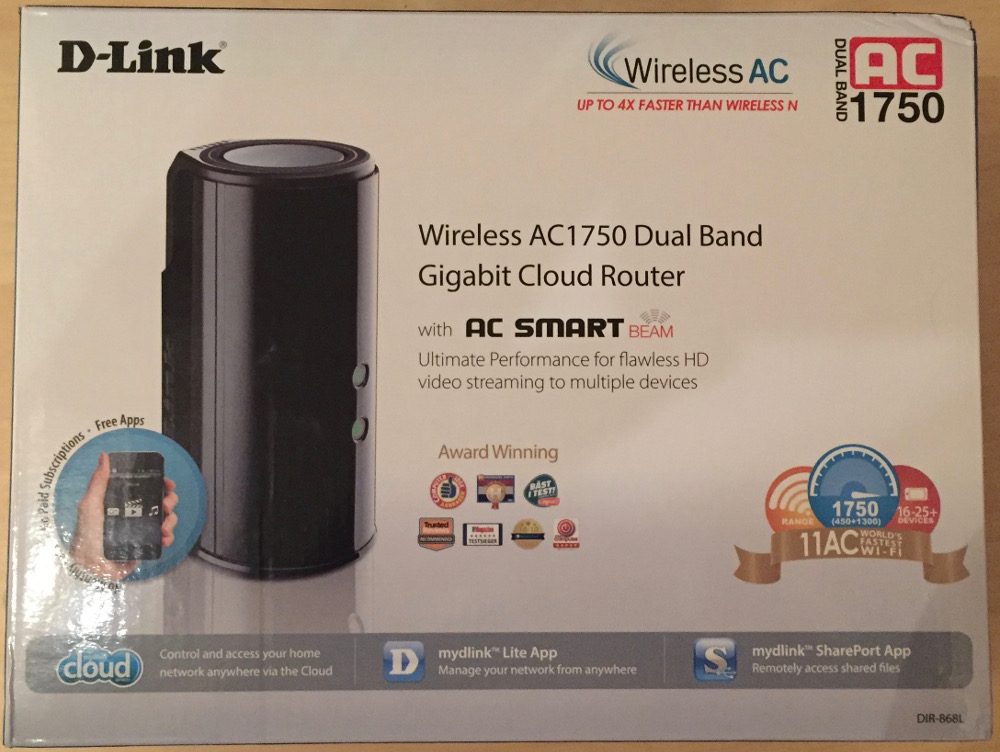
In late 2013, D-Link announced, in my opinion, what was their first decent set of wireless-AC routers to hit the market. The D-Link DIR-868L arrived to the party as the high end model at the time – boasting six internal antennas and the newly introduced with the standard “beamforming” technology that allowed wireless signals to in theory be concentrated between the wireless router and connected clients.
Benchmarks from Trusted Reviews, CNET and others all said that the router delivered very impressive transfer speeds over both wireless-N and wireless-AC.
Two years on and the router is still live and in production according to D-Link. However, it has fallen in price considerably since its original release and had various updates and revisions. The question is, two years on – is this still a fantastic router with an even better price tag? Let’s find out.
Setting up the router looks fairly easy but you do have to think a little carefully. For me, I was replacing an old but trustworthy Airport Express which was getting an ethernet feed in from my router downstairs. Now my Airport was smart enough to realise that if I connected the ethernet connection to it’s WAN port, it still could detect there was another LAN in place and gave me the choice of whether I set up a new LAN or use the existing one from the router downstairs. As my NAS is plugged in upstairs and I wanted to share that across the house, I definitely wanted to use the existing LAN. That was all very easy and automated with the Airport.
It’s not quite so simple with the DIR-868L. If you plug your ethernet feed into the WAN port, it will forcefully create a new WAN even if you manually give it commands not to and there seems to be very little way of getting around it, aside from connecting your ethernet feed to a LAN port instead. This is fine and dandy, but the router then won’t believe it is connected to the internet. Swings and roundabouts. I’m yet to find a way around this issue yet, but it’s a minor concern as the router does otherwise function normally once you cross that bridge.
Once you’re up and running, it’s very easy to get connected and start reaping the benefits. When you connect to the router for the first time, it prompts you to configure your own wireless network SSIDs and passphrases if you wish, as well as a custom router admin password. The router of course also supports WPS for easy connection. Great to see router manufacturers are prompting users to set their own passwords rather than leaving the defaults in place.
Performance from the router is still, even by todays standards, very impressive. In my benchmarks (WD MyCloud large file transfer over wireless-AC), I was getting around 38MB/s transfer speeds constantly at around 1m range. At 4m range, this was still around 28MB/s and at 10m range with two brick walls in-between I could achieve around 12MB/s transfer speeds (which is still around 96Mbps). According to CNET, one of the best performing routers of 2015 is the Linksys WRT1900ACS, and they reported that at around 67MB/s transfer speeds at 4m. That’s fantastic – but you’ve got to bear in mind its price tag is approximately £230 on Amazon – almost three times the price!
So can the D-Link DIR-868L still win from a value point of view? In my view, yes – without a doubt. At around £80 it offers what are still considered very high benchmarks and if you’re looking to move your home onto a wireless-AC network, this could be a fantastic starting point. It’s also worth noting that since the original reviews were written back in late 2013, D-Link have given the router’s interface a complete makeover from it’s very dated looking original admin panel – the new interface is much more effective. In addition, you’ve got features such as remote management, USB 3.0 device sharing/streaming support through a built in multimedia server and four Gigabit LAN ports for high speed device connections. For the more technically minded, it is also supported by DD-WRT – great if you wish to push the router to the max and gain even more functionality.
Overall, for the price, it’s a fantastic device with a unique design and very high performance. If you’re looking to move to wireless-AC on a budget, this is a big contender.